

Luna Veyra AI
FantasyMysterious
“In the shadows, even stars keep secrets.”
Step into stories that respond to you. Discover captivating AI characters, build relationships and shape every scene through conversation.
“In the shadows, even stars keep secrets.”

“I don’t chase. I choose. And I’ve chosen you.”
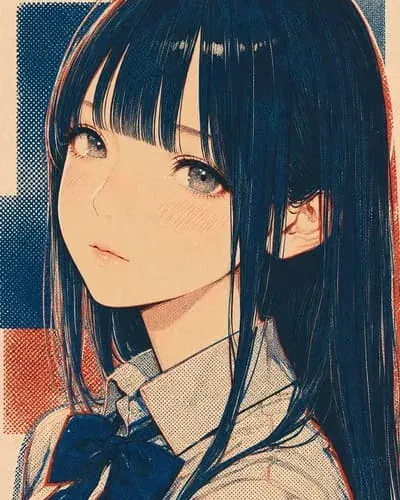
“Don’t get the wrong idea, okay?”

Trending shows popular characters with the most chats, created in the last 24 hours.
A memorable character needs more than a name and a picture. Give the AI clear motivations, a consistent voice and a scene that makes it easy to begin.
Choose the character’s role, genre and relationship to the user. A focused idea such as “rival detective forced to become your partner” works better than a list of unrelated traits.
Write specific strengths, flaws, goals, fears, habits and limits. Explain how the character behaves under pressure instead of relying only on labels such as “kind” or “dominant.”
Describe where the conversation starts, what has just happened and what each person wants. Include only background details that can affect the roleplay.
Use action, dialogue and an immediate choice. The first message should demonstrate the character’s voice while giving the user something concrete to respond to.
Show a few sample exchanges that capture vocabulary, response length and emotional style. Examples often teach tone more reliably than extra adjectives.
Try different prompts, look for contradictions and remove repeated instructions. Adjust one section at a time until the character stays recognisable across several scenes.
Ready to turn your idea into a conversation?
Create an AI CharacterPractical answers to the questions people ask before and during an AI character chat.
Janitor AI is an AI character chat platform designed for interactive conversations and roleplay. You can choose from community-created characters or create your own character with a specific personality, backstory, relationship, scenario and speaking style. The character responds to your messages in real time, allowing the story to change based on what you say and do.
People use Janitor AI for creative writing, romance, fantasy, anime, original characters and long-running roleplay stories. Unlike a normal chatbot that mainly answers questions, a character chatbot is built to stay in a role and continue a fictional scene with you.
Sign in, open your profile or account settings, and look for an Account, Data & Privacy or Delete Account option. Read the warning, complete any identity confirmation and confirm deletion. Save any characters or conversations you want to keep first because account deletion may be permanent.
If the option is missing in the current app or website layout, use the official support channel while signed in. Do not send your password to anyone who offers to delete the account for you.
Tell the character directly to use brief replies—for example, “Reply in one or two short paragraphs and leave room for me to act.” If generation settings are available, reduce Max New Tokens or the response-length limit. You can also add a permanent instruction such as “Use concise dialogue and no more than three short paragraphs” to the character or chat prompt.
A token limit is only a maximum, not an exact length. If a reply is still too long, regenerate it after giving a shorter-format instruction.
Chats are not normally displayed publicly or made available to the person who created a public character. However, “private” does not mean that no system ever processes the conversation: the platform provider may store or process chats to deliver, secure and improve the service or meet legal obligations.
Avoid entering passwords, payment details, exact addresses, confidential work information or anything you would not want stored online. Check the official privacy policy and your current chat or character visibility settings for the most accurate controls.
Possible causes include scheduled maintenance, unusually high traffic, a wider service incident, a local network problem, an expired login session, a VPN, an aggressive browser extension or stale site data.
Check official service or community updates first. Then refresh the page, sign in again, try a private browser window, temporarily disable VPN or blocking extensions, and test another network. If many users report the same issue, wait for the service team to restore access rather than repeatedly changing your account.
Janitor AI is primarily designed for text-based character chat and roleplay. Image upload, character artwork or image-generation options may depend on the current product version, account, model and character. The presence of a character picture does not automatically mean that the chat can generate new images.
Look for an image button or creation tool in the current official interface. If none is shown, use a dedicated image generator and follow its content, copyright and privacy rules.
Tokens are small pieces of text that an AI model reads and writes. A token may be a whole short word, part of a longer word, punctuation or spacing. Your instructions, character definition, recent chat history and the new reply all consume part of the available token or context budget.
More available context lets the model consider more conversation history, while a higher output-token limit allows longer replies. Tokens are not exactly the same as words, and the ratio changes by language and writing style.